Home / Features

A closer look at the system

Everything below is in the Pospal system you get on day one — no modules to unlock later. Here's what's in the box, how membership keeps customers coming back, and what the owner sees from the phone.

What's actually in the box

No modules to unlock later.

The list below is the product, not a pricing-tier ladder. If it's on this page, it's in the system you get on day one.

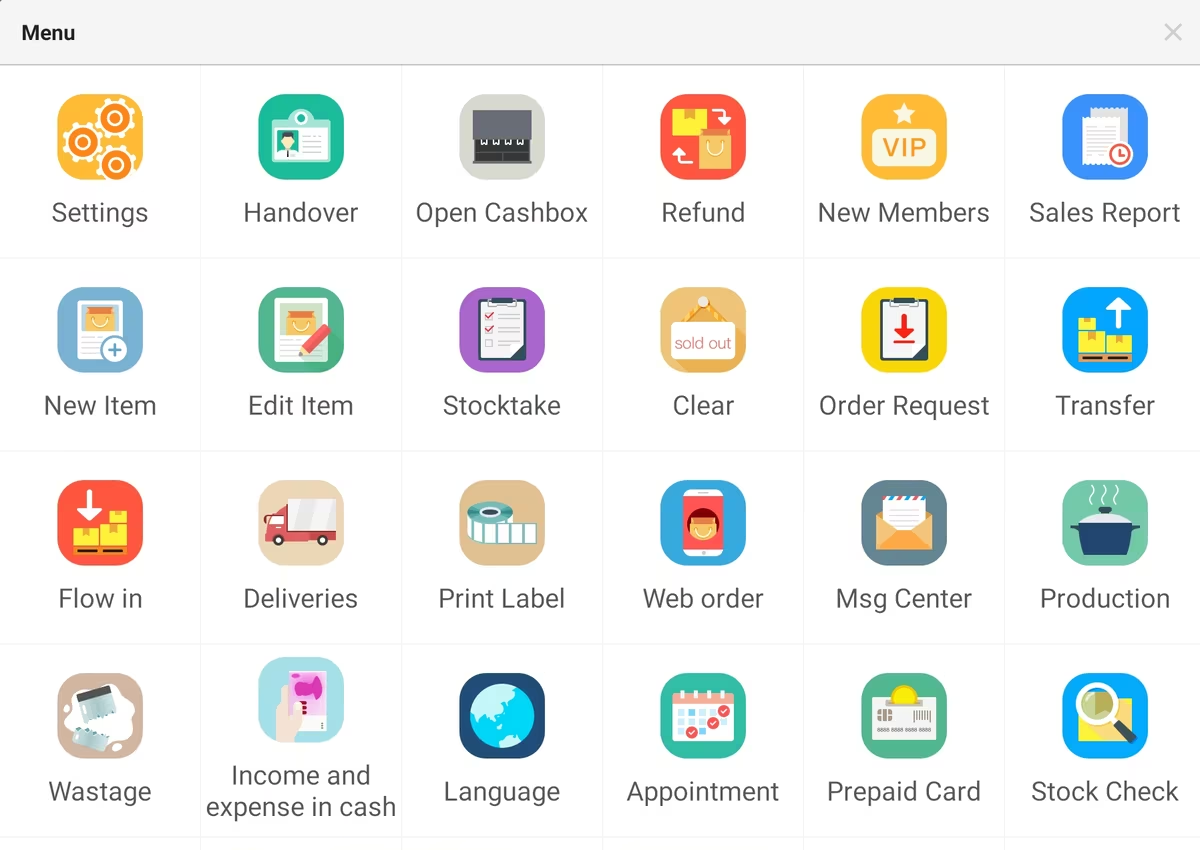
Pospal function menu showing 24 built-in modules including stocktake, refund, appointments, deliveries, prepaid card and stock check
Twenty-four modules, one menu. Stocktake, refunds, appointments, deliveries, prepaid cards, wastage, label printing — none of it sold as an add-on.
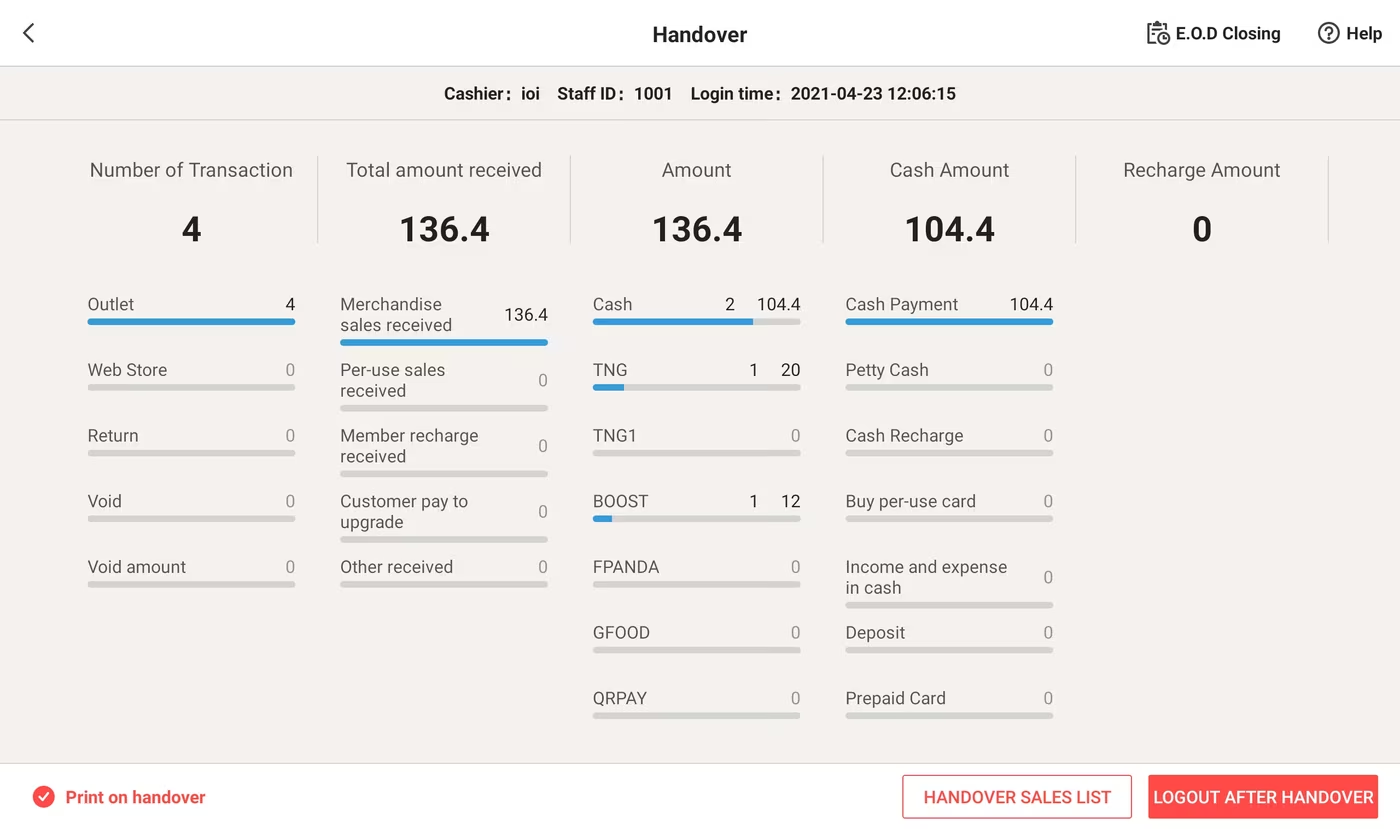
Pospal shift handover screen breaking takings down by cash, Touch n Go, Boost, foodpanda, GrabFood and QR pay
Shift close, already localised. Takings split across cash, Touch 'n Go, Boost, QR pay, foodpanda and GrabFood — counted per cashier, not reconstructed later.
Terminal

Front counter

Barcode, quick keys, holds, returns, mixed tender and cash-drawer discipline. Trained in an afternoon because the cashier only sees the eight things they need.

Integrations

GrabFood & foodpanda, in one screen

Grab and foodpanda orders land in the same queue as your dine-in tickets — no second tablet chirping on the counter, no manual re-keying.


GrabFood foodpanda
Language

Dual-language

Kitchen tickets print in one language while customer-facing screens and receipts show another. Nobody has to work in a language they don't read.

Payments

Payments & e-wallets

Cards, DuitNow QR and the wallets your customers already carry — all taken on one terminal and broken out by tender on the shift report.

Touch 'n Go eWallet, GrabPay, Boost, ShopeePay and card payments
Insight

Cloud reporting

Takings, margin by item, dead stock and hour-of-day patterns across every outlet — readable on a phone after closing.

Members, points & prepaid

Turn a walk-in into a regular.

Membership isn't a bolt-on loyalty app here. Stored value, points, coupons, gift cards and per-use packages all live on the same customer record the cashier already pulls up at the counter.
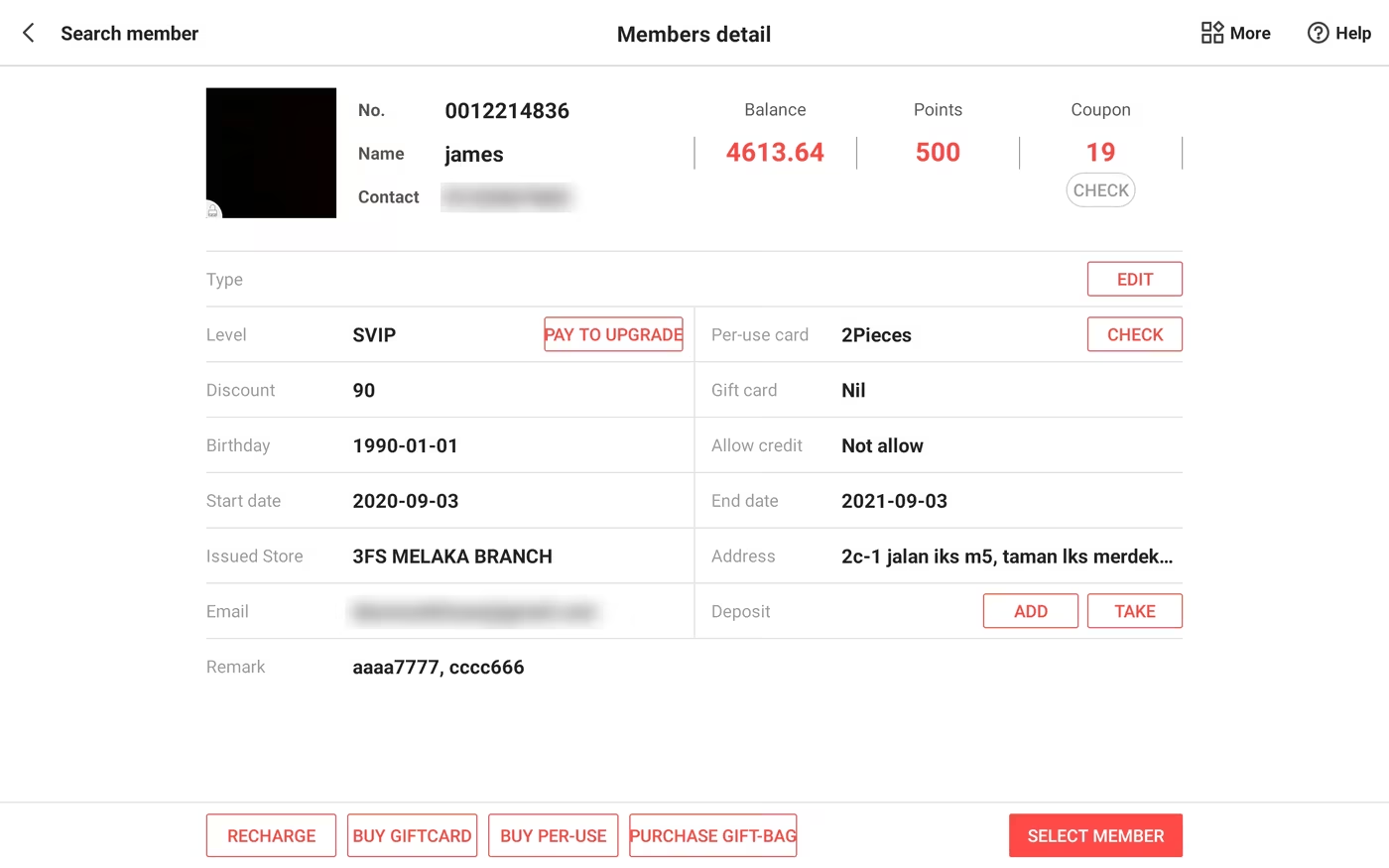
Pospal member record showing stored-value balance, points, coupons, membership tier, discount rate, per-use card and gift card, with recharge and gift-card purchase actions
One record, everything attached: stored-value balance, points, coupons, tier and discount rate, per-use packages, gift cards, deposits — and the buttons to top up or sell a package right at the till. Contact details blurred for publication.
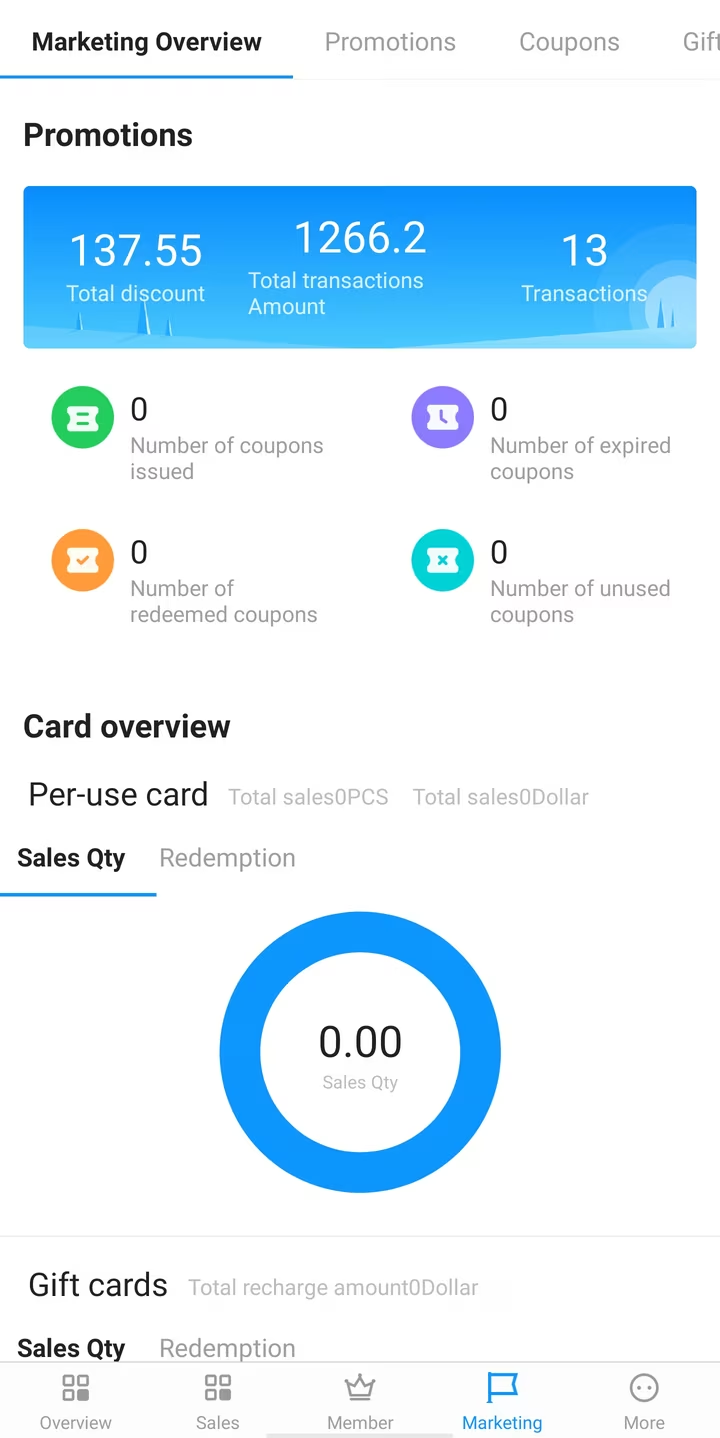
Pospal owner app marketing screen showing total discount given, transactions, and coupons issued, redeemed, expired and unused
Did the promotion pay for itself? Discount given against transactions driven, and how many coupons were issued, redeemed, expired or never used.
The owner's view

Know what happened without being there.

Every outlet reports into the same phone app. Check the day from the car — and see the things a busy counter would rather you didn't look at too closely.
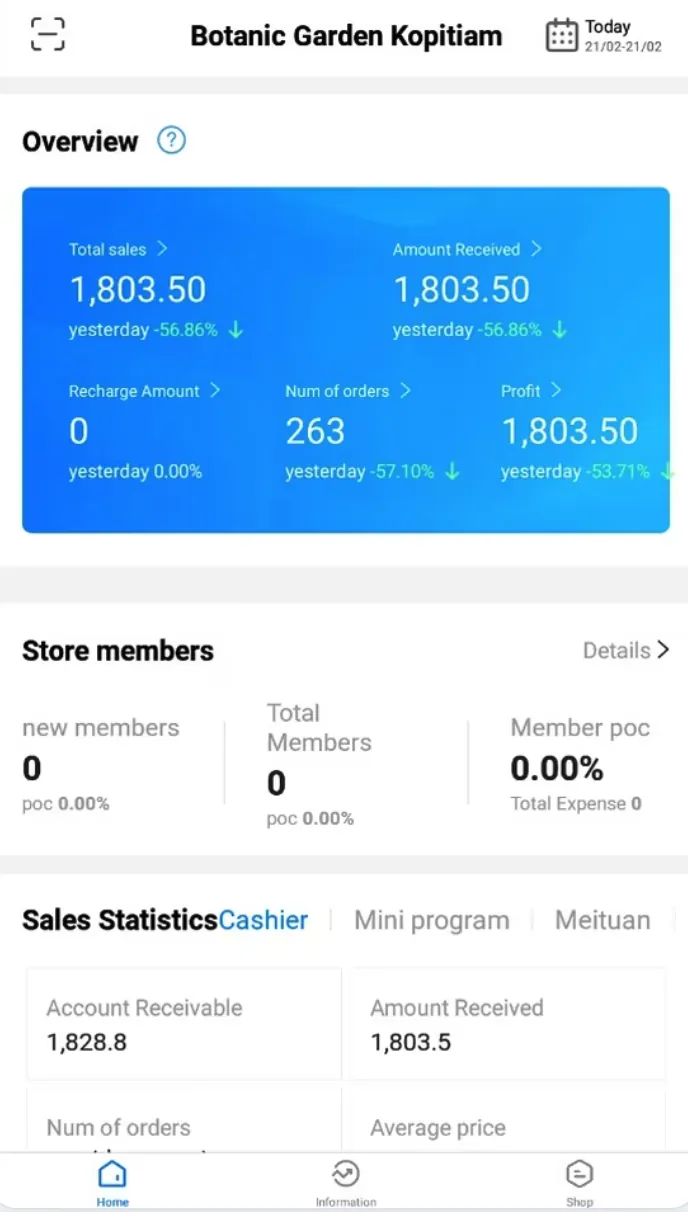
Pospal owner app overview: total sales, amount received, number of orders and profit for the day, with yesterday's comparison
The day, at a glance Takings, orders and profit against yesterday — plus what's still owed to you and what has actually landed.
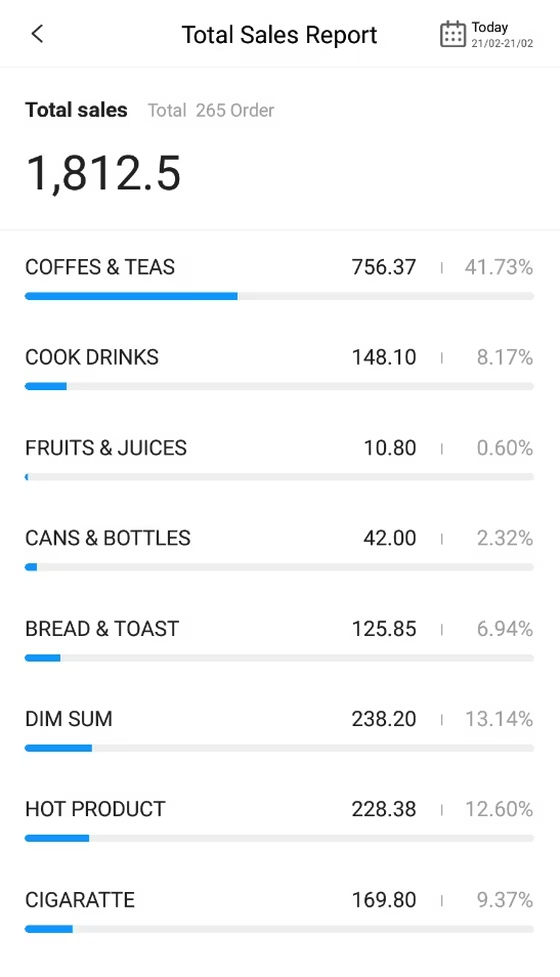
Pospal total sales report broken down by category with amounts and percentage of sales
Where the money comes from Every category with its share of the day — the thing that tells you which shelf earns its space and which one doesn't.
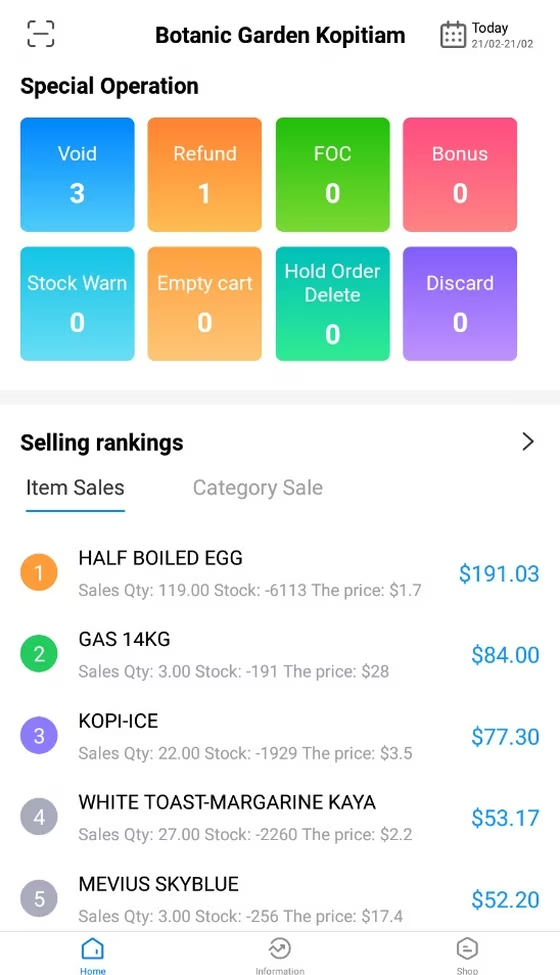
Pospal special operations screen counting voids, refunds, free-of-charge items, bonuses, stock warnings, emptied carts, deleted held orders and discards, with a selling ranking below
The exceptions Voids, refunds, free-of-charge, emptied carts, deleted held orders — counted on their own, because that's where money leaves quietly.

See it ring up your own menu

We'll set up a live Pospal demo with your products and prices, so you can see exactly how it works for your counter.

Chat on WhatsApp